Editable spreadsheet · One currency · No signup
Variable-income budget
Separate observed income history from the cash reserve you need.
Download Variable-income budget (.xlsx)
Includes a blank “Your plan” worksheet and an “Example” worksheet. All example numbers are invented. Version 1 · 16 October 2026.
What this file does
Record up to twelve take-home income observations. Calculate the observed average and lowest month, the gap against required costs, and simplified cash-reserve runway. Blank observations are excluded and actual zero-income months count.
How to use it
- Download and keep a fresh copy of the original.
- Open “Your plan” and type into the blue input cells. Black cells contain formulas.
- Enter income observations in B9:B20 and required monthly costs and reserve in E11:E12. Review the lowest-month shortfall and the two separate runway measures.
- Review the Example tab to understand the calculation, then reconcile your entries with your own records.
Reproduce the example
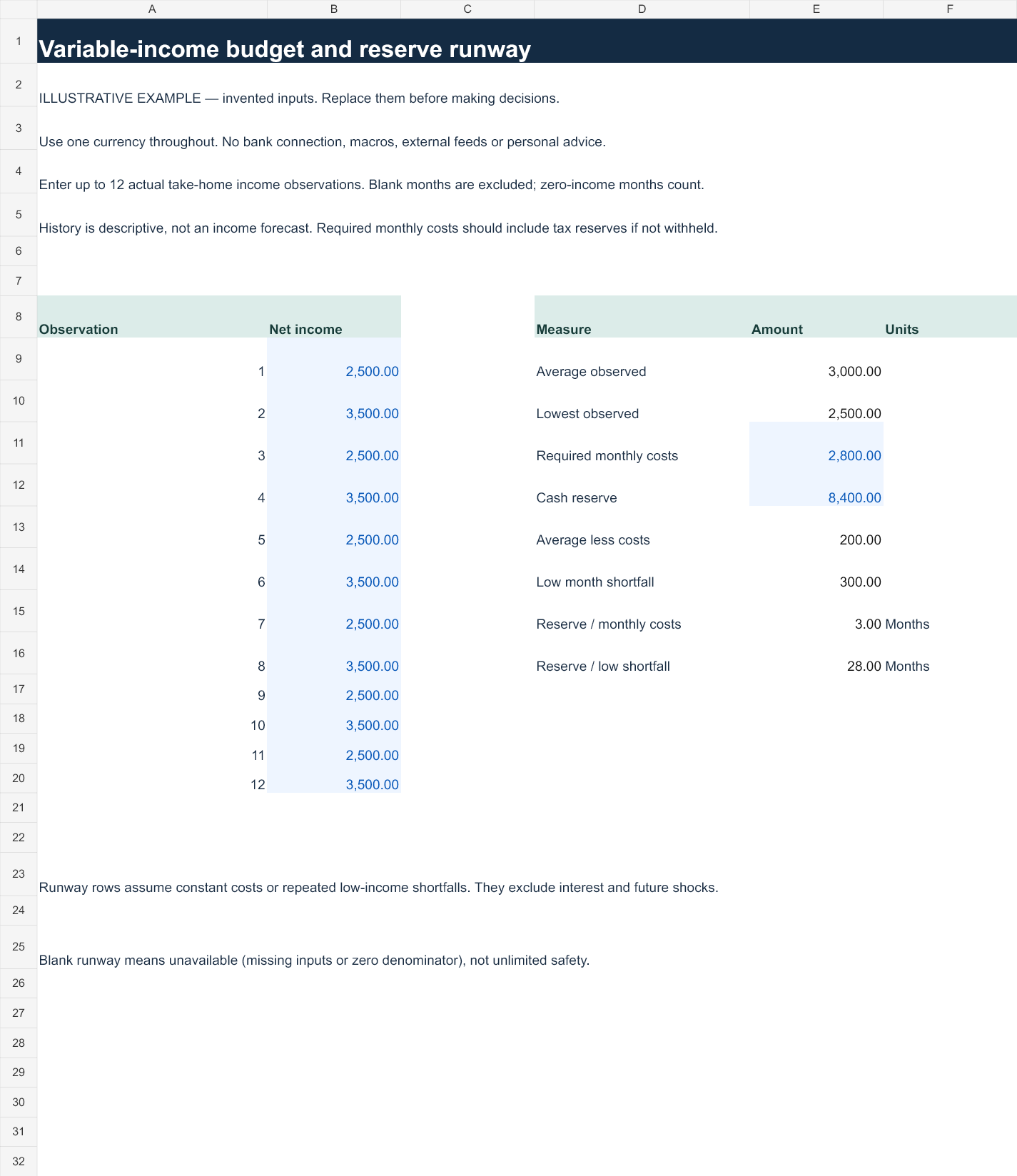
Alternating $2,500 and $3,500 months average $3,000. With $2,800 required costs, the lowest-month shortfall is $300; an $8,400 reserve covers 3 months of full costs or 28 repeats of that shortfall.
Preview the example worksheet
Scope and limits
Observed history is descriptive, not a future income estimate. A zero shortfall leaves shortfall-runway blank because the denominator is zero. Reserve runway assumes constant costs and excludes interest, emergencies and future income changes.
Inputs remain in the file you use. The workbook contains no account integration, macros or external feeds. Uploading it to a cloud spreadsheet service is your own action and subject to that service's settings. Keep financial files private.
Open in Excel or import into Google Sheets
In Excel, open the XLSX and allow normal formula recalculation. In Google Sheets, use File → Import → Upload, choose the file and create a new spreadsheet. Check the Example tab values above after import before entering personal data. Native Google Sheets rendering has not been independently verified; formatting or calculation differences should be checked.
Formula and validation notes · Related interactive tools · Use these resources in a lesson or article