Editable spreadsheet · One currency · No signup
Monthly household budget
Compare planned and actual spending without counting transfers twice.
Download Monthly household budget (.xlsx)
Includes a blank “Your plan” worksheet and an “Example” worksheet. All example numbers are invented. Version 1 · 16 October 2026.
What this file does
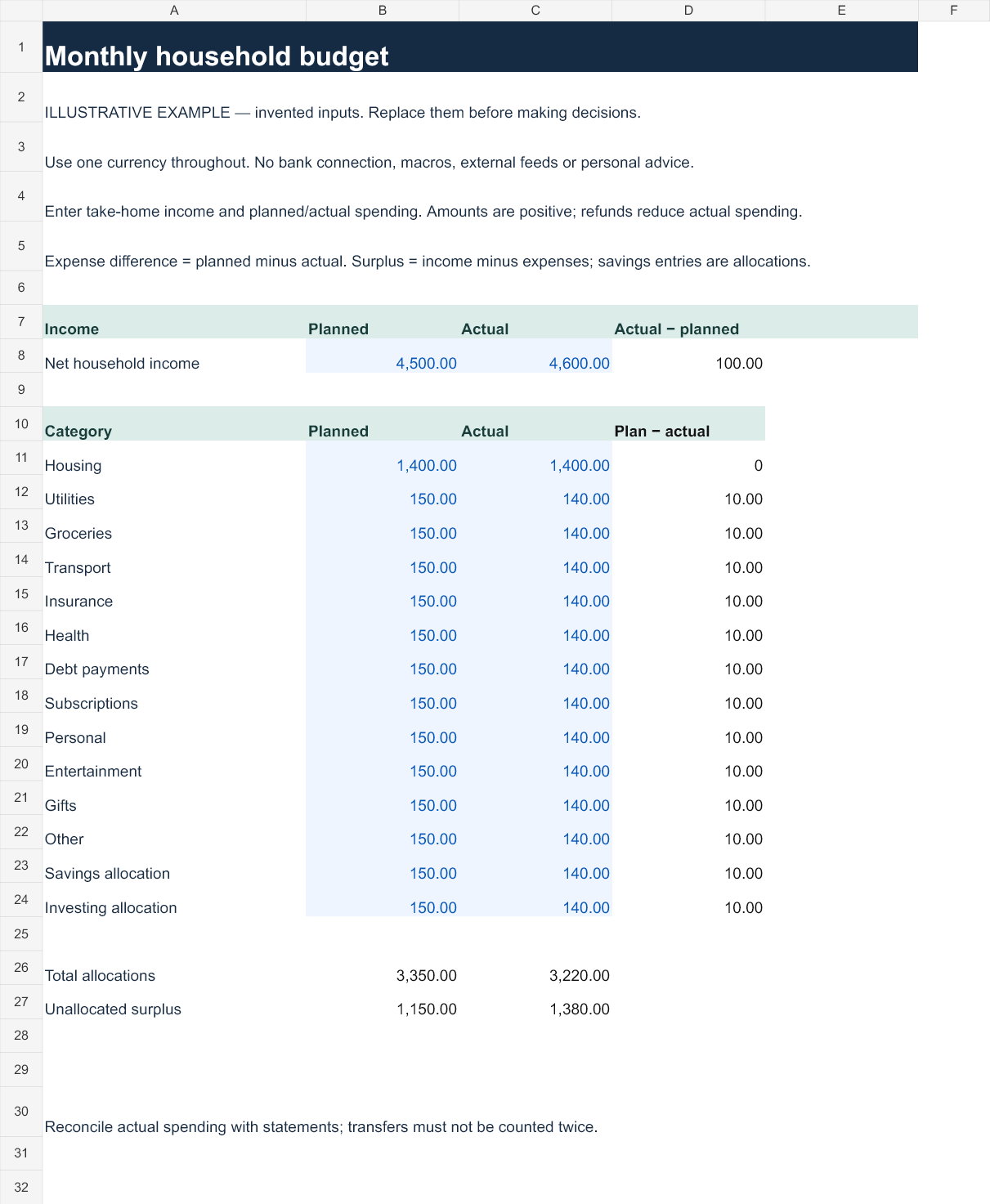
Track net household income, fourteen spending and savings allocations, total commitments and unallocated cash. The difference column uses planned minus actual for spending, while the income difference uses actual minus planned.
How to use it
- Download and keep a fresh copy of the original.
- Open “Your plan” and type into the blue input cells. Black cells contain formulas.
- Enter take-home income in row 8. Fill planned and actual allocations in rows 11–24. Inspect total allocations in row 26 and the remainder in row 27.
- Review the Example tab to understand the calculation, then reconcile your entries with your own records.
Reproduce the example
The example starts with $4,600 actual income and $3,220 of allocations, leaving $1,380. Changing actual income to $5,000 leaves $1,780 while expenses remain fixed.
Preview the example worksheet
Scope and limits
Savings and investing rows are allocations of cash rather than consumption. Exclude transfers already represented by a spending category. The sheet does not pull bank statements or classify transactions.
Inputs remain in the file you use. The workbook contains no account integration, macros or external feeds. Uploading it to a cloud spreadsheet service is your own action and subject to that service's settings. Keep financial files private.
Open in Excel or import into Google Sheets
In Excel, open the XLSX and allow normal formula recalculation. In Google Sheets, use File → Import → Upload, choose the file and create a new spreadsheet. Check the Example tab values above after import before entering personal data. Native Google Sheets rendering has not been independently verified; formatting or calculation differences should be checked.
Formula and validation notes · Related interactive tools · Use these resources in a lesson or article