Editable spreadsheet · One currency · No signup
50/30/20 budget worksheet
Inspect a common allocation framework against your own spending.
Download 50/30/20 budget worksheet (.xlsx)
Includes a blank “Your plan” worksheet and an “Example” worksheet. All example numbers are invented. Version 1 · 16 October 2026.
What this file does
Divide monthly take-home income into illustrative 50% needs, 30% wants and 20% saving or additional debt repayment targets. Enter actual allocations beside targets and inspect over- or under-allocation.
How to use it
- Download and keep a fresh copy of the original.
- Open “Your plan” and type into the blue input cells. Black cells contain formulas.
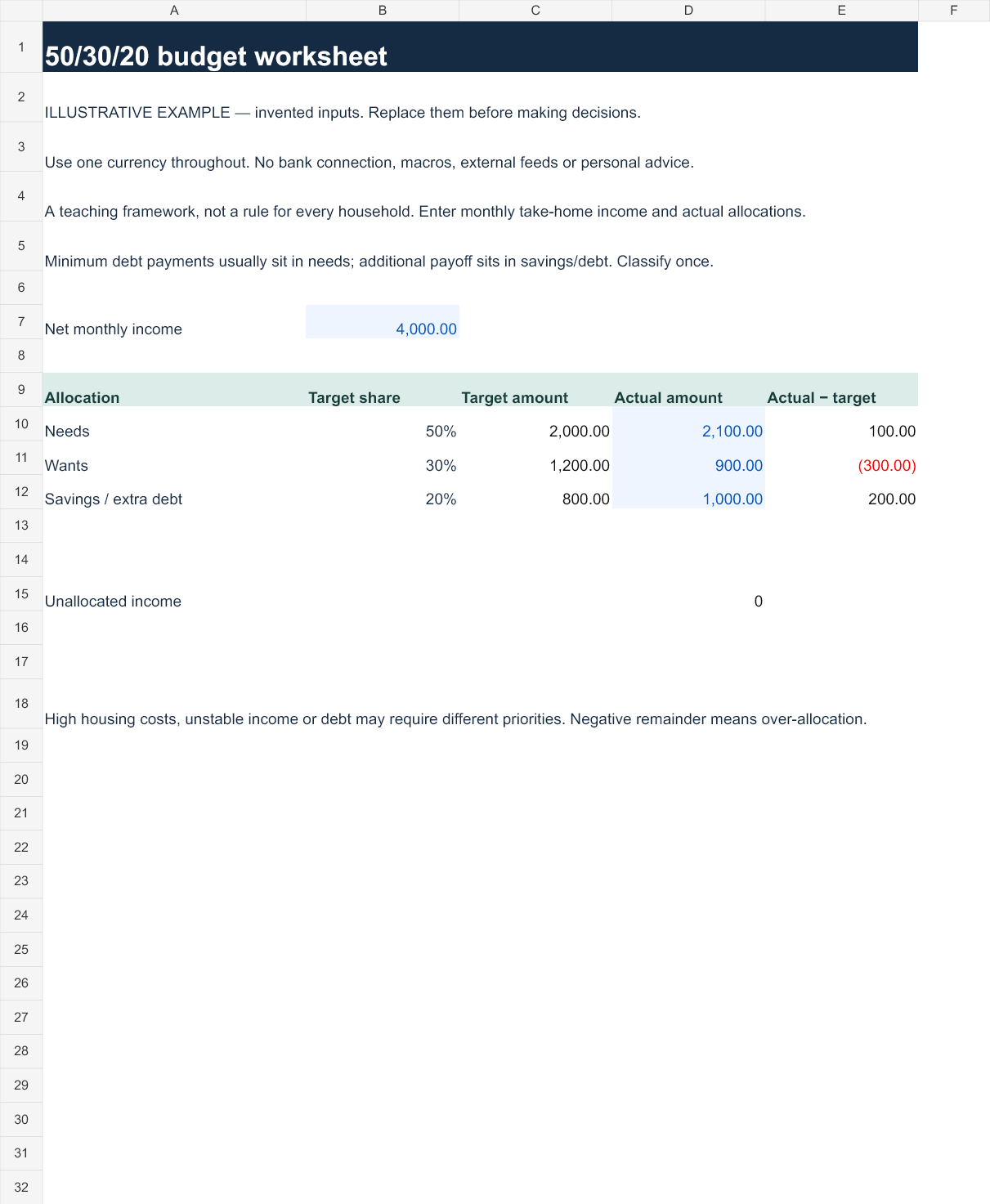
- Enter net income in B7 and actual needs, wants and saving or extra debt payments in D10:D12. Target amounts update automatically. D15 shows income left unallocated.
- Review the Example tab to understand the calculation, then reconcile your entries with your own records.
Reproduce the example
At $4,000 income the target amounts are $2,000, $1,200 and $800. Actual allocations of $2,100, $900 and $1,000 use all income. Changing income to $5,000 without changing spending leaves $1,000.
Preview the example worksheet
Scope and limits
This is a teaching framework, not a prescription. Essential debt minimums and extra repayments must be classified consistently once. The sheet does not evaluate whether a chosen saving rate is sufficient.
Inputs remain in the file you use. The workbook contains no account integration, macros or external feeds. Uploading it to a cloud spreadsheet service is your own action and subject to that service's settings. Keep financial files private.
Open in Excel or import into Google Sheets
In Excel, open the XLSX and allow normal formula recalculation. In Google Sheets, use File → Import → Upload, choose the file and create a new spreadsheet. Check the Example tab values above after import before entering personal data. Native Google Sheets rendering has not been independently verified; formatting or calculation differences should be checked.
Formula and validation notes · Related interactive tools · Use these resources in a lesson or article